
I Went to a Robot Kitchen to See Where Software Is Heading
Everyone working in software can feel it – AI is getting better at doing the job, and nobody knows where it stops.
The natural response is to reach towards the physical world as an off-ramp. Robotics fits that bill. Three Hat Kitchen is running an AI kitchen with actual robots in little old Brisbane - I reached out to Alex who runs it because what they're building is bold.
He let me come down for a day. We identified early on that getting tool calling working in VLMs could be a real capability unlock for the robot kitchen. I've got some experience with computer vision. So I spent the day running experiments.
The setup: an NVIDIA GB10 with 120GB of unified memory, a USB webcam, and NVIDIA's Cosmos-Reason2-8B model served via vLLM. The question I wanted to answer was simple – but I was skeptical going in. I didn't realize vision language models had tool calling trained into them at all. That was new to me.
I've worked on a lot of production object detection projects, and we were always post-processing detections across frames to try and track object persistence. Sort filters, heuristics, edge case handling. Even with an out-of-the-box detection model, the detection is the easy part - everything after that is your problem. So the question was: can you offload some of that post-processing to the model layer? Instead of detecting objects and then writing logic to decide what happened, can the model just tell you what happened and act on it?
The Setup
Cosmos-Reason2-8B running on vLLM exposes an OpenAI-compatible API. You define tools as JSON schemas – same format as OpenAI function calling – and send webcam frames as base64-encoded images. The model sees the frame, reasons about it, and decides whether to call a tool.
Here's what a tool definition looks like:
TAKE_SCREENSHOT_TOOL = {
    "type": "function",
    "function": {
        "name": "take_screenshot",
        "description": (
            "Take a screenshot and save it when you detect a person "
            "in the image. Call this function whenever you see one or "
            "more people, humans, or human body parts in the camera frame."
        ),
        "parameters": {
            "type": "object",
            "required": ["reason"],
            "properties": {
                "reason": {
                    "type": "string",
                    "description": "A brief description of what person or people you detected.",
                },
            },
        },
    },
}
Looks familiar. Same tool calling interface as any LLM - just with a camera feed instead of text.
Experiment 1: Person Detection
First question: can these models even call tools at all? The first test was simple – is there a person in the frame? If yes, call take_screenshot. The system prompt told the model it was a security camera monitor. Every 2 seconds, it received a frame and decided what to do.
This worked. The model reliably detected people and fired the tool. Over a couple of hours, it captured 354 screenshots – and the vast majority were legitimate detections.
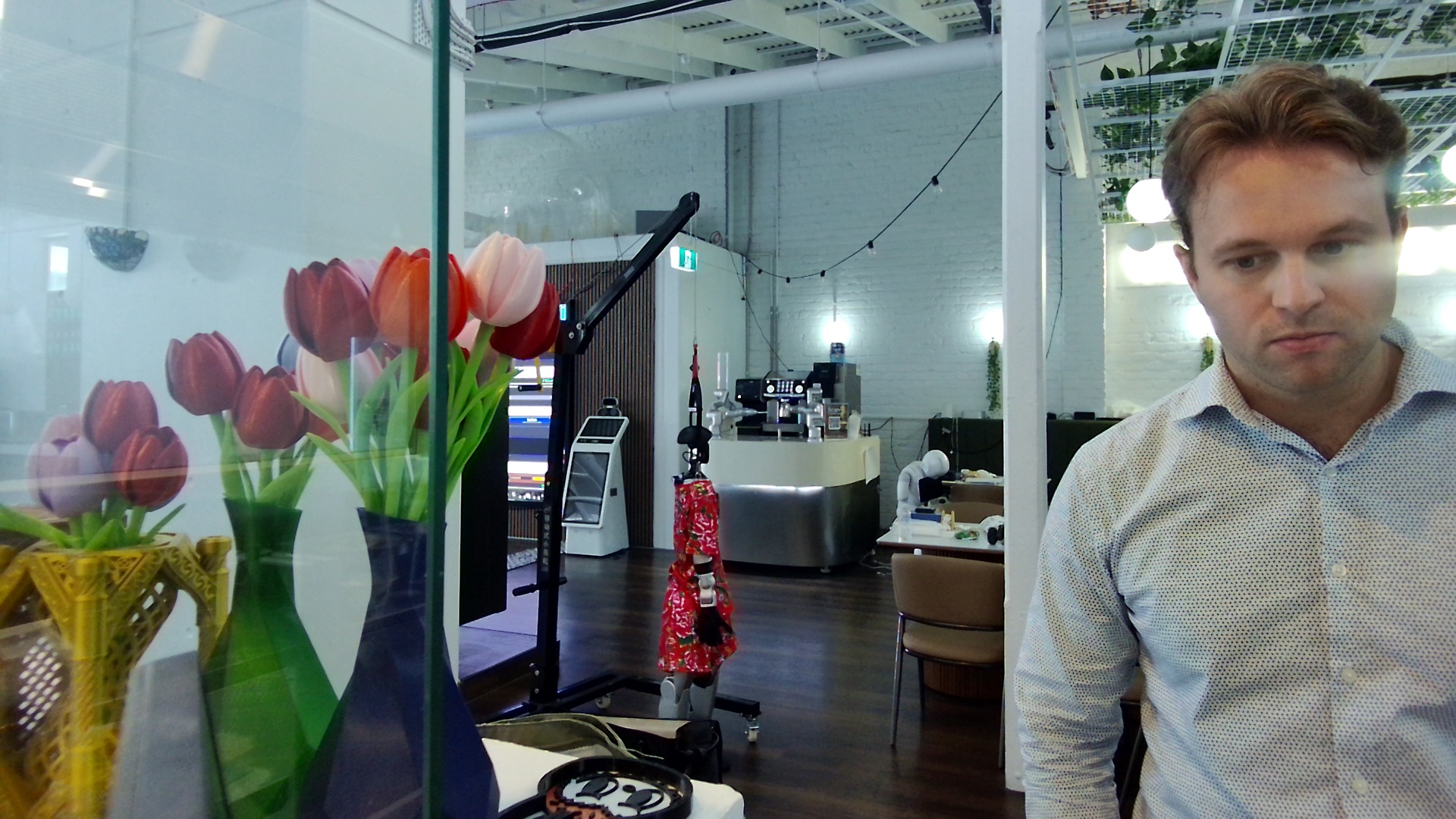
But there was a quirk. There's a gap between how the model emits tool calls and how vLLM expects to parse them. Cosmos-Reason2 is post-trained on Qwen3-VL, and the tool calling behaviour is inherited from that base – but the structured tool_calls field in the API response was only sometimes populated. Instead, the model would emit <tool_call> XML tags inside its reasoning block. It doesn't feel like a path many people are using yet. I had to hack the tool calls out of the thinking response by parsing the XML manually.
The other thing: tool calls are incredibly trigger-happy. The model is so excited to call tools. Even if you say in the tool definition "only call this if a person is visible," the model still wants to call take_screenshot – it just passes a reason like "no person is visible in the frame." It's calling the tool to tell you nothing happened. I had to add negation filtering on the arguments (no person, nobody, not visible) to catch these.
I don't think it's necessarily impressive that the model was able to call tools. All we really know is that at some stage the underlying model was trained to call tools – probably in computer-use contexts like navigating UIs, reading screens, taking screenshots. There's some level of generalization happening, but naming a tool take_screenshot is going to land in territory the model is comfortable with. It's almost certainly seen that tool name before. Based on these tests, I doubt any of the VLMs have been trained on tool calling for real-world physical tasks – like acting on a live camera feed.
So what happens when you give it tools it's never seen before?
Experiment 2: Bowl Counting
Person detection worked, but it's also a solved problem. The more interesting test: could we use tool calling to track the number of bowls available at any given time? The idea was to set up a tool that counts bowls whenever they're visible – a running count of resource availability in the kitchen. Something actually useful for the robot kitchen's operations.
BOWL_LOG_STATUS_TOOL = {
    "type": "function",
    "function": {
        "name": "log_bowl_status",
        "description": "Log the bowl status when you detect one or more bowls in the image.",
        "parameters": {
            "type": "object",
            "required": ["count", "locations"],
            "properties": {
                "count": {
                    "type": "integer",
                    "description": "The number of bowls visible in the frame.",
                },
                "locations": {
                    "type": "string",
                    "description": "A plain English sentence describing where each bowl is.",
                },
            },
        },
    },
}
Counting was jittery. The model saw 3 bowls one frame, then 4 the next. Each frame is analyzed independently without temporal context and counts fluctuated significantly.
Cropping the feed helped. I added a toggle so that only a tighter cropped image of the bowls was sent to the VLM for processing – just to see if reducing the visual noise from the full kitchen would make a difference. By eyeballing it, I think it did improve performance slightly.
But it also led to another idea. The GB10 was able to run multiple 8B parameter models simultaneously – so you could potentially split a camera feed into multiple sections and have them processing different areas of the video input in parallel, each with their own tools and tasks.
Experiment 3: Bowl Pickup Detection
Next I wanted to see if the model could detect when someone picks up a bowl. I added a second tool – bowl_picked_up – alongside log_bowl_status. Same pattern as before: describe when to call it in the tool definition and let the model decide.
Bowl pickup tool definition
BOWL_PICKED_UP_TOOL = {
    "type": "function",
    "function": {
        "name": "bowl_picked_up",
        "description": (
            "ONLY call this function when you can actually SEE a person "
            "picking up a bowl. Signs: a hand is gripping or lifting a bowl, "
            "a person is reaching for a bowl and grabbing it, or a bowl is "
            "being held in someone's hand."
        ),
        "parameters": {
            "type": "object",
            "required": ["reason"],
            "properties": {
                "reason": {
                    "type": "string",
                    "description": "Describe what is happening – who is picking up which bowl.",
                },
            },
        },
    },
}
Lots of false positives. The model fired bowl_picked_up constantly – mostly on nothing.
Multi-tool calling was inconsistent. With two tools available, the model would heavily favour one over the other. It would call log_bowl_status on nearly every frame but rarely fire bowl_picked_up, even when someone was clearly grabbing a bowl. It sometimes worked, but the model seemed to latch onto one tool and ignore the other. I was impressed multi-tool calling worked at all – I don't know the nature of the training data, but it did sometimes fire both tools on the same frame. That said, bowl_picked_up worked better when log_bowl_status was disabled. One tool at a time seemed to be good for performance.
I did manage to record one example where bowl_picked_up seems to have worked pretty well:
What I Learned
VLM tool calling works – kind of. Detecting a person and taking a screenshot was reliable. Counting bowls and detecting pickups was messy. Honestly, I'm surprised they call tools at all.
The potential value is in the flexibility. If you could just point one of these models at a camera and say "run this function when someone takes a bowl" or "run this function when the bowl count drops below three" – and it just worked out of the box – that would be insanely useful. We're not there yet, but you can see the shape of it.
8B is better than 2B. I tried both. The 8B model definitely produced more accurate detections and fewer hallucinated tool calls (surprise?).
What's Next for VLMs in the Robot Kitchen
- Temporal context. Passing prior frame results or a rolling summary to the model should reduce jitter and false positives. The model doesn't know what it saw before – fixing that is the obvious next step.
- Segmented feeds. Different regions of the camera analyzed by different model instances, each with their own tool definitions. The memory headroom is there.
- Fine-tuning. Kitchen-specific tool calls baked into the model weights instead of prompted at inference time.
- More tools, more tasks. Resource tracking, order progress, hygiene monitoring – the kitchen has plenty of things worth watching. If the tool calling gets more reliable, the use cases open up fast.
- Vision-action models. Training models that don't just see but act – getting robots to understand what they're looking at and respond to it. That's where I'd love to take this next.
As AI eats software, I went to a robot kitchen to find the off-ramp. But the parts that excited me were training models, fine-tuning on kitchen-specific data, running inference on hardware. The software parts. And none of those are safe from AI either.
I might just be riding my love of software into the AI sunset – and I might be okay with that.